You spend roughly seven hours of an eight-hour workday looking at a screen. The other hour is meetings, which also happen in front of a screen. Every thought, task, and decision passes through the same device: the laptop. And the laptop, by design, is the single worst environment for holding a thought long enough to do anything useful with it.
Gloria Mark, a professor of informatics at the University of California, Irvine, spent years observing knowledge workers and timing their activities to the second. Her 2008 study found that it takes an average of 23 minutes and 15 seconds to fully regain focus after an interruption. Not to finish the interrupting task — to recover the state of mind that preceded it. The average knowledge worker self-interrupts or is interrupted roughly every three minutes. Most of the workday is not spent in focus. It is spent in recovery from the last thing that broke it.
A pocket notebook next to the laptop does not fix the interruptions. It fixes what happens to the thinking that the interruptions destroy. Four methods follow. Each one takes less than two minutes. Each one solves a problem that the laptop creates and cannot solve on its own.
✦ ✦ ✦1 The Three-Decision Close
What it solves: you walk out of meetings and forget what was decided.
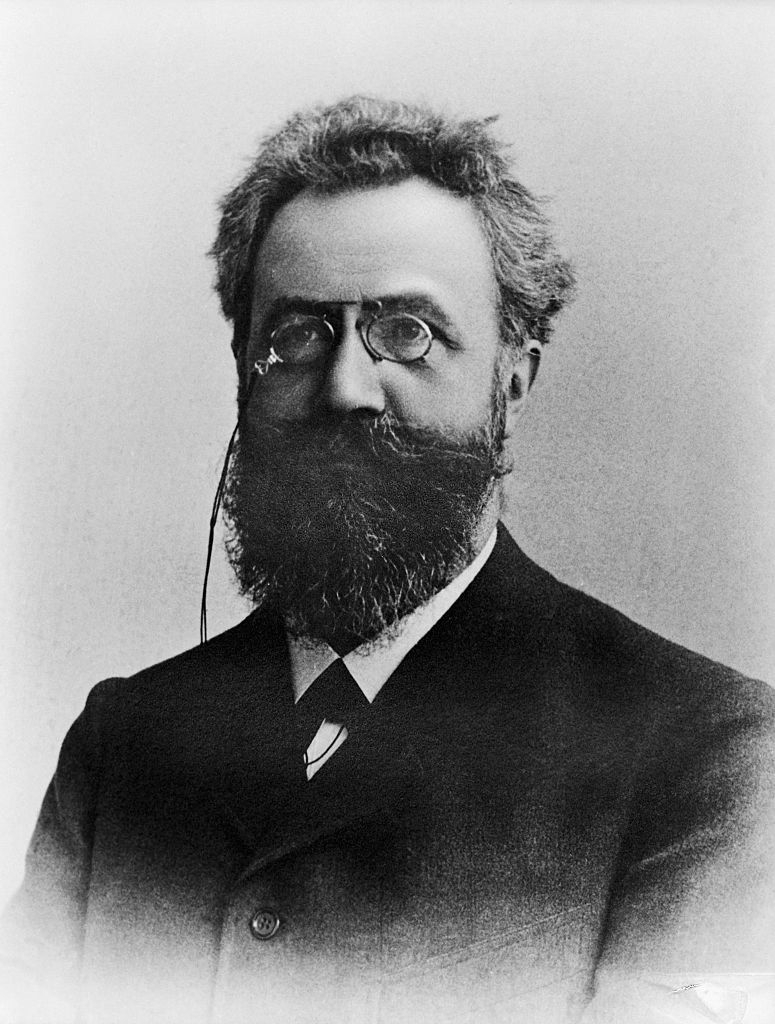
In 1885, Hermann Ebbinghaus demonstrated that people forget roughly 50% of new information within an hour and up to 70% within 24 hours. The finding has been replicated for 140 years, and it applies directly to meetings: by the time you return to your desk after a 45-minute discussion, half of what was said is already gone. By tomorrow morning, most of the operational detail has dissolved.
AI notetakers have made this worse, not better. Otter, Fireflies, Granola, the built-in Zoom and Teams transcription -- they capture everything. Every sentence, every tangent, every five-minute digression about the offsite. The transcript arrives in your inbox, comprehensive and perfectly formatted, and you never open it. Or you open it, skim the first three paragraphs, and close it. The AI solved the capture problem and created a new one: the transcript recorded what was said, not what was decided, and the difference between those two documents is the difference between a recording and a decision log. The notebook is the decision log.
The three-decision close takes 90 seconds and happens immediately after the meeting ends. Open the notebook and write three lines: what was decided, what I owe, and what I am waiting on. Sometimes a fourth, if there is a deadline. The practice strips the meeting to its load-bearing structure and discards the rest. Over a week, the notebook becomes a clean record of every commitment made in both directions — by you and to you. On Friday, flip through the entries. What moved and what stalled is visible in a way that no Slack thread or shared document can replicate, because the notebook holds only the decisions, and decisions are the only part of a meeting that has weight.
2 The Interrupt Line
What it solves: a good thought arrives mid-task and is gone by lunch.
You are deep in a task — writing a document, reviewing a design, building a spreadsheet — and an unrelated thought arrives. Something about the other project. A question you forgot to raise. An approach that might solve the problem you abandoned yesterday. The thought is sharp and relevant, and it has nothing to do with what you are doing right now.
Two instincts, both wrong. Chase the thought immediately, which means leaving the current task and paying Gloria Mark's 23-minute recovery cost. Or trust memory, and lose the thought by noon.
The interrupt line is neither. The notebook sits open beside the laptop. When the thought arrives, write it down in ten words or fewer. A single line. Do not develop it. Do not open a new tab. Write the line and return to the task. The whole action takes eight seconds, which is 22 minutes and 52 seconds less than the alternative.
At the end of the day, review the interrupt lines. Some are useless. Some are the most valuable thinking you did all day — connections that formed during focus, which is where good connections form, and which would have been lost entirely if the thought had to compete with the task for immediate attention.
The interrupt line separates capture from development. The thought is safe. The task is undamaged. The development happens later, when you have the capacity for it, and the capacity was preserved because the interruption lasted eight seconds instead of twenty-three minutes.
3 The Resumption Anchor
What it solves: you switch contexts twelve times a day and lose the thread every time.
Before switching — before closing the spreadsheet to answer the Slack message, before leaving the code for the meeting, before moving from one project to the next — write one sentence in the notebook: “I am at [this point] in [this task] and the next step is [this].”
Fifteen seconds. This is the resumption anchor. When you return — thirty minutes later, two hours later, the following morning — the sentence tells you exactly where you were and what comes next. Re-entry drops from 23 minutes to under one, because you are reading context instead of reconstructing it from memory.
The reason this works better in a notebook than in a digital note is physical persistence. A note in the app sinks. A sticky note on the screen gets covered. The notebook sits beside the laptop, open to the page, and the sentence is there when you return. The physical location is itself the retrieval cue — you do not need to search for it, because you can see it.
Peter Drucker observed in The Effective Executive (1967) that knowledge workers are distinguished from manual workers by one trait: they must decide for themselves what their task is. The resumption anchor answers that question before it needs to be asked. Yesterday's version of you already decided what comes next. Today's version just reads the sentence.
4 The Daily Three
What it solves: too many inputs, no hierarchy, the urgent keeps displacing the important.
Before opening email. Before opening Slack. Before the laptop starts telling you what your day is. Open the notebook and write three outcomes that matter today.
Not tasks — outcomes. Not “review the proposal” but “decide whether to approve the proposal.” Not “catch up on email” but “reply to the client on pricing.” The distinction is that an outcome has a result attached to the verb. A task is motion. An outcome is a destination.
A list of eight priorities is a list of zero priorities.
Three is the correct number because three can be held in working memory without aid. With eight, the mind treats them as equivalent, and equivalent means the most urgent one wins, which is almost never the most important one. Three outcomes, written by hand before the screen turns on, create a hierarchy that survives the noise of the day.
At the end of the day, check the three. Which moved. Which did not. If the same outcome appears on Monday and is still there on Thursday, that is information: something is blocking it, and the block is probably invisible from inside the work. The notebook, by repeating the same unfinished outcome across four days, makes the block impossible to ignore.
The Friday Review
The four methods produce roughly a page of notebook content per day. By Friday, there are five pages. The review takes 15 minutes: flip through the week and extract three things. What decisions were made that need tracking. Which interrupt lines are worth developing. What patterns are visible in the daily three — which outcomes keep stalling, which move easily, and what the pattern says about how the work is actually structured versus how you thought it was structured.
This is where the notebook's content migrates to digital, if needed. Action items move into the project tool. Developed ideas move into the document or deck. Patterns go into the weekly update. The notebook is the capture layer. The laptop is the execution layer. They work in sequence, and the notebook comes first, because the notebook is where the thinking happens before the screen decides what to think about.
✦ ✦ ✦A pocket notebook next to a laptop does four things the laptop cannot do for itself: it closes meetings into decisions, it catches ideas without breaking focus, it anchors the re-entry after every context switch, and it forces a hierarchy onto the day before the inbox provides one. Each method takes under two minutes. Together, they recover more working time than any app, system, or workflow that lives entirely inside the machine.
The notebook is not a replacement for the laptop. It is the layer the laptop is missing — the one that thinks before the screen tells it what to do.
References
- Mark, G., Gudith, D. & Klocke, U. (2008). “The Cost of Interrupted Work: More Speed and Stress.” Proceedings of CHI '08. ACM.
- Ebbinghaus, H. (1885). Über das Gedächtnis. Leipzig: Duncker & Humblot.
- Drucker, P.F. (1967). The Effective Executive. Harper & Row.